
Template library
Keep reusable weapon definitions in one place instead of hunting through folders each time.
OVRDTH Armory
OVRDTH Armory is the Flex weapon-template workflow in FleX Mod Manager v0.1.0-alpha.20. It is also a nod to OVRDTH and his line of programs, which helped inspire building Flex into a larger Half Sword tool.
Workflow
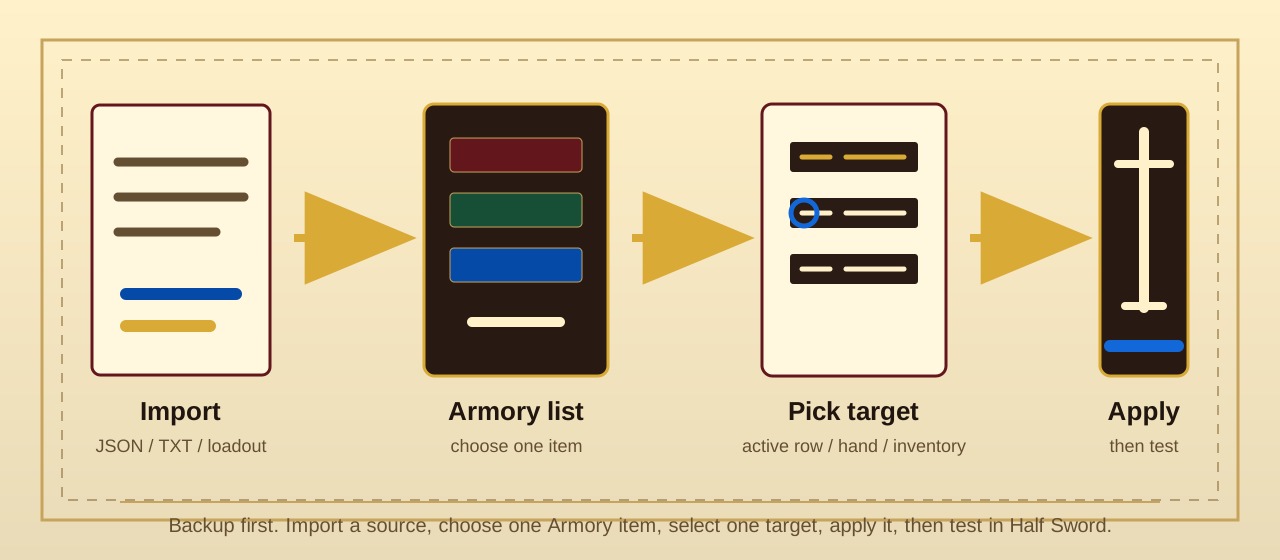
Use Armory when you want a reusable weapon definition to become the selected Half Sword weapon target.
Use Armory for
Keep reusable weapon definitions in one place instead of hunting through folders each time.
Turn compatible equipment-save hand weapons into Armory items before applying or sharing them.
Apply one selected weapon template to the active weapon workflow without manually editing save data.